

Close Menu

    Subscribe to Updates

    Get the latest creative news from FooBar about art, design and business.

    What's Hot

    Monster Hunter Wilds: New content update and Arch-Tempered Arkveld arrive February 18 

    10 February 2026

    How A Shoulder Pad Landed FTL Meets Warhammer 40K In Steam DMCA Jail

    9 February 2026

    Borderlands 4 Got Verified For Steam Deck Even Though It Still Runs Like Crap

    9 February 2026
    Facebook X (Twitter) YouTube Discord RSS
    Tuesday, February 10
    • Contact us
    • info@xtremeservers.com
    Facebook X (Twitter) YouTube Discord Instagram Pinterest RSS
    Xtreme Servers
    Xtreme Servers Blog Ad 1
    • Home
    • Game Servers
      • ARK: Survival Evolved
      • Counter Strike GO
      • Gary’s MOD
      • Minecraft
      • Rust
      • Team Fortress 2
    • Servers
      • VPS Hosting
    • Categories
      1. PlayStation
      2. PC
      3. Nintendo
      4. Xbox
      5. View All

      Monster Hunter Wilds: New content update and Arch-Tempered Arkveld arrive February 18 

      10 February 2026

      Fallout 76 Still Doesn’t Have Crossplay Seven Years Later, But Bethesda’s Not Ruling It Out

      9 February 2026

      Romeo is a Dead Man – Suda 51 and director Ren Yamazaki discuss controlled chaos of development

      9 February 2026

      State of Play returns this Thursday, February 12

      9 February 2026

      How A Shoulder Pad Landed FTL Meets Warhammer 40K In Steam DMCA Jail

      9 February 2026

      Borderlands 4 Got Verified For Steam Deck Even Though It Still Runs Like Crap

      9 February 2026

      Riot’s New Fighting Game Is Already Imploding As It Lays Off 80 Developers Less Than a Month After Coming To Console

      9 February 2026

      Don’t Let Nioh 3‘s First Boss Yamagata Masakage Keep You Down

      9 February 2026

      Today’s Nintendo Direct Was A Damning Display Of The State Of Switch 2

      5 February 2026

      The Elder Scrolls IV: Oblivion Remastered Is Coming To Switch 2…Eventually

      5 February 2026

      Everything We Saw At Today’s Nintendo Partner Direct

      5 February 2026

      Amazon Clears Out the Original Nintendo Switch With Joy-Con Controllers at a Record Low

      5 February 2026

      Hearthstone Spotlight Announces the Next Expansion Coming, and More!

      9 February 2026

      Fallout 76 Still Doesn’t Have Crossplay Seven Years Later, But Bethesda’s Not Ruling It Out

      9 February 2026

      Relooted: Heist as Puzzle, Puzzle as Montage

      9 February 2026

      Interview: An Inside Look Behind the Chaos of Romeo is A Dead Man

      9 February 2026

      Monster Hunter Wilds: New content update and Arch-Tempered Arkveld arrive February 18 

      10 February 2026

      How A Shoulder Pad Landed FTL Meets Warhammer 40K In Steam DMCA Jail

      9 February 2026

      Borderlands 4 Got Verified For Steam Deck Even Though It Still Runs Like Crap

      9 February 2026

      Riot’s New Fighting Game Is Already Imploding As It Lays Off 80 Developers Less Than a Month After Coming To Console

      9 February 2026
    • Contact
    Xtreme Servers
    Home » How Starfield Cheats Work: Best Console Commands and Item Codes
    PC

    How Starfield Cheats Work: Best Console Commands and Item Codes

    Garry SmithBy Garry Smith1 September 2023No Comments5 Mins Read
    Facebook Twitter Pinterest Reddit LinkedIn Tumblr Email
    Share
    Facebook Twitter Pinterest Reddit Email

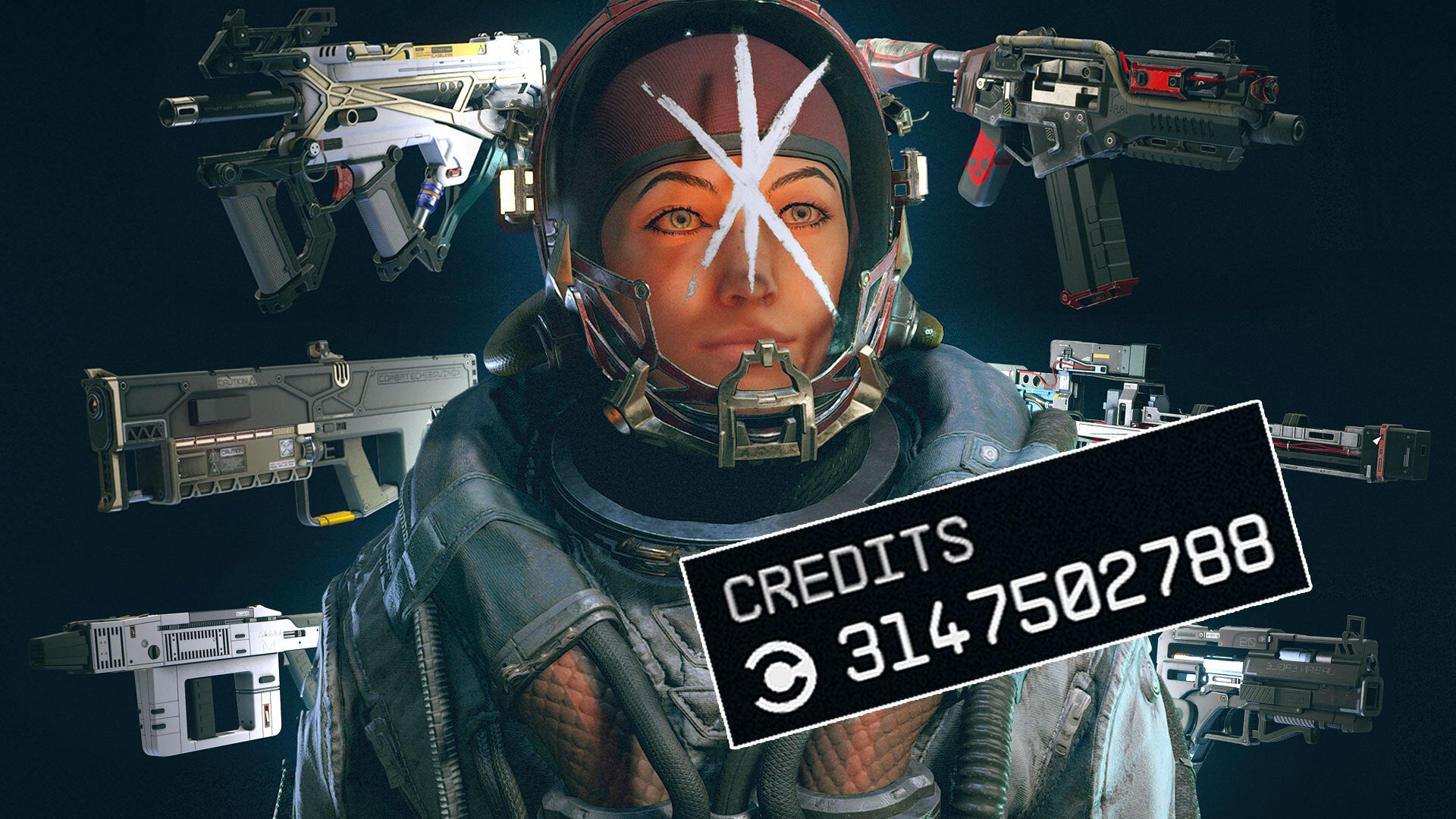
    Over 250 console commands and cheat codes are available for you to use in Starfield, but not all of them are as helpful as you might think. Thankfully, we’ve done the hard work and compiled over 20 of the best and most helpful cheat codes in Starfield. In addition, we have also listed some of the best item IDs for all major categories.

    So whether you’re looking to spawn a legendary spacesuit, attach mods to your favorite weapon, level up skills, or essentially spawn unlimited Credits and Digipicks, this best cheats and console commands guide has you covered.

    How to Use Cheats and Console Commands in Starfield

    To enter cheats and console commands in Starfield, you must first access the command console. To do so, press the Tidle (~) key while in-game or when using the menu system. The command console will now appear, and you can enter codes. Cheat codes currently only work on PC versions of Starfield.

    WARNING: Using certain commands will disable achievements and are sometimes known to cause adverse effects and game crashes! So be sure to quick save before entering any cheat codes.

    Best Cheat Codes and Console Commands in Starfield

    To view all 250+ console commands, see our Starfield Cheat Codes, Console Commands, and Item IDs guide for a comprehensive list of all known cheat codes.

    Best Toggle Cheat Codes and Commands

    • Toggle God Mode – Enables complete invincibility and unlimited ammo.
      • Cheat Code: tgm
    • Toggle Immortal Mode – Enables you to take damage, but you’ll never reach 0 health.
      • Cheat Code: tim
    • Player Spellbook – Unlocks all available powers.
      • Cheat Code: psb
    • Toggle Detect – NPCs will no longer detect you.
      • Cheat Code: tdetect
    • Toggle Combat AI – Combat AI will no longer target you. This can be disabled and enabled by re-entering the code.
      • Cheat Code: tcai
    • Toggle No Clip – Character collision is disabled, allowing you to fly through walls, floors, and other objects. This can be disabled and enabled by re-entering the code.
      • Cheat Code: tcl

    Best Targeted Cheat Codes and Commands

    • Spawn Items/Weapons/Armor/Credits – Specified items will be added to your character.
      • Cheat Code: additem <Item ID> <Value>
    • Attach Weapon and Armor Mods – Specified weapon mods will be applied to your reference weapon. An item’s Reference ID can be obtained while in the Command Console and clicking on any items dropped on the ground to reveal their Reference ID.
      • Cheat Code: <Ref ID>.amod <OMOD ID>
    • Remove Weapon and Armor Mods – Specified weapon mods will be removed from your reference weapon. An item’s Reference ID can be obtained while in the Command Console and clicking on any items dropped on the ground to reveal their Reference ID.
      • Cheat Code: <Ref ID>.rmod <OMOD ID>
    • Kill All NPCs – All NPCs in the area will be killed.
      • Cheat Code: killall
    • Kill All Hostiles – All hostile NPCs in the area will be killed.
      • Cheat Code: kah
    • Resurrect NPC – Selected NPC will be resurrected. For this command to work, you’ll need to select the NPC while in the console command menu, so their Reference ID appears, then enter the cheat code.
    • Unlock Doors and Containers – Unlock your current target door or container. In order for this to be a success, you must first attempt to open the locked target before inputting the command.
      • Cheat Code: unlock
    • Show Sleep / Wait Menu – Quickly access the wait menu, allowing you to adjust time on the fly.
      • Cheat Code: showmenu sleepwaitmenu

    Best Player Cheat Codes and Commands

    • Set Character Level – Your character is set to the specified level.
      • Cheat Code: player.setlevel <Value>
    • Add Items to Inventory – Specified items will be added to your inventory. See our Best Starfield Item IDs section below for a list of all the best and most commonly needed items in Starfield.
      • Cheat Code: player.additem <Item ID> <Value>
    • Spawn Items, NPCs, and Creatures at your Position – The specified item or creature will be spawned directly in front of your character.
      • Cheat Code: player.placeatme <Item ID> <Value>
    • Pay Off Bounties – Remain out of jail, keep all stolen items, and pay off any outstanding Bounties for a specified Faction.
      • Cheat Code: player.paycrimegold 0 0 <Faction ID>
    • Open Character Creator – Opens the character creator menu, allowing you to adjust your character’s appearance, name, background, and traits.
      • Cheat Code: showlooksmenu player 1
    • Remove Skills, Traits, and Backgrounds – The specified skill, trait, or background will be removed from your character. See our Perk, Trait, and Background IDs below.
      • Cheat Code: player.removeperk <Perk ID>
    • Add Skills, Traits, and Backgrounds – The specified skill, trait, or background will be added to your character. Do note that you will need to have a spare perk, trait, or background slot available in order to add a perk to your character. So, be sure to remove a perk first before attempting this command.
      • Cheat Code: player.addperk <Perk ID>

    Best Starfield Item IDs

    You can spawn almost anything in Starfield with item IDs, whether it be Credits, Digipicks, Weapons, Legendary Spacesuits, and much more. While we have a growing list full of Item IDs for every major item category in our Starfield Item IDs and Codes for Console Cheats guide, we’ve compiled a small handful of some of our personal favorite spawn codes below:

    • Add 1,000,000 Credits (value can be adjusted) – player.additem 0000000F 1000000
    • Add a Breach Shotgun – player.placeatme 000547A3 1
    • Add an Urban Eagle Pistol – player.placeatme 0026D96D 1
    • Add a Legendary Spacesuit – player.placeatme 0007B2B9 1
    • Add a Legendary Helmet – player.placeatme 0010A25E 1
    • Add a Legendary Pack – player.placeatme 0010A25D 1

    Check out these additional Starfield guides from our expert guide writers:

    • Best Starting Traits and What Effects They Have
    • Starfield Walkthrough: Main Quests, Side Quests, Faction Quests and More
    • How to Lockpick
    • Every Starfield Companion and Crew Member
    • All Romance Partners in Starfield

    Go to Source (IGN.com)

    All content and images belong to their respected owners. This article is aggregated for informational purposes only with full credit to the source.

    Post Views: 206
    available cheat codes commands console helpful pc Starfield Thankfully them think
    Share. Facebook Twitter Pinterest LinkedIn Tumblr Reddit Email
    Previous Article(For Southeast Asia) PlayStation Plus Monthly Games for September: Saints Row, Black Desert – Traveler Edition, Generation Zero
    Next Article Lenovo Legion Glasses Aim to Give Portable Gamers a Bigger, Private Screen for Gaming on the Go
    Garry Smith
    • Website

    Related Posts

    How A Shoulder Pad Landed FTL Meets Warhammer 40K In Steam DMCA Jail

    9 February 2026

    Borderlands 4 Got Verified For Steam Deck Even Though It Still Runs Like Crap

    9 February 2026

    Riot’s New Fighting Game Is Already Imploding As It Lays Off 80 Developers Less Than a Month After Coming To Console

    9 February 2026

    Don’t Let Nioh 3‘s First Boss Yamagata Masakage Keep You Down

    9 February 2026

    The Best Thing About The Winter Olympics Are The Drone Cameras

    9 February 2026

    Mewgenics Is A Brilliantly Gross Antidote To Boring Roguelites

    9 February 2026
    Add A Comment

    Comments are closed.

    Editors Picks

    Monster Hunter Wilds: New content update and Arch-Tempered Arkveld arrive February 18 

    10 February 2026

    How A Shoulder Pad Landed FTL Meets Warhammer 40K In Steam DMCA Jail

    9 February 2026

    Borderlands 4 Got Verified For Steam Deck Even Though It Still Runs Like Crap

    9 February 2026

    Riot’s New Fighting Game Is Already Imploding As It Lays Off 80 Developers Less Than a Month After Coming To Console

    9 February 2026
    Top Reviews
    Xtreme Servers Blog Ad 3
    About Us
    About Us

    We were founded in 2019 with some key objectives, provide our customers with an easy, reliable, fast and enjoyable gaming experience. Welcome to Xtreme Servers.

    Email Us: info@xtremeservers.com

    Facebook X (Twitter) Instagram YouTube Discord RSS
    Our Picks

    Monster Hunter Wilds: New content update and Arch-Tempered Arkveld arrive February 18 

    10 February 2026

    How A Shoulder Pad Landed FTL Meets Warhammer 40K In Steam DMCA Jail

    9 February 2026

    Borderlands 4 Got Verified For Steam Deck Even Though It Still Runs Like Crap

    9 February 2026

    Subscribe to Updates

    Get the latest news, articles & guides from Xtreme Servers by subscribing to our newsletter.

    © 2026 Xtreme Servers All rights reserved.
    • Home
    • Contact us
    • info@xtremeservers.com

    Type above and press Enter to search. Press Esc to cancel.