


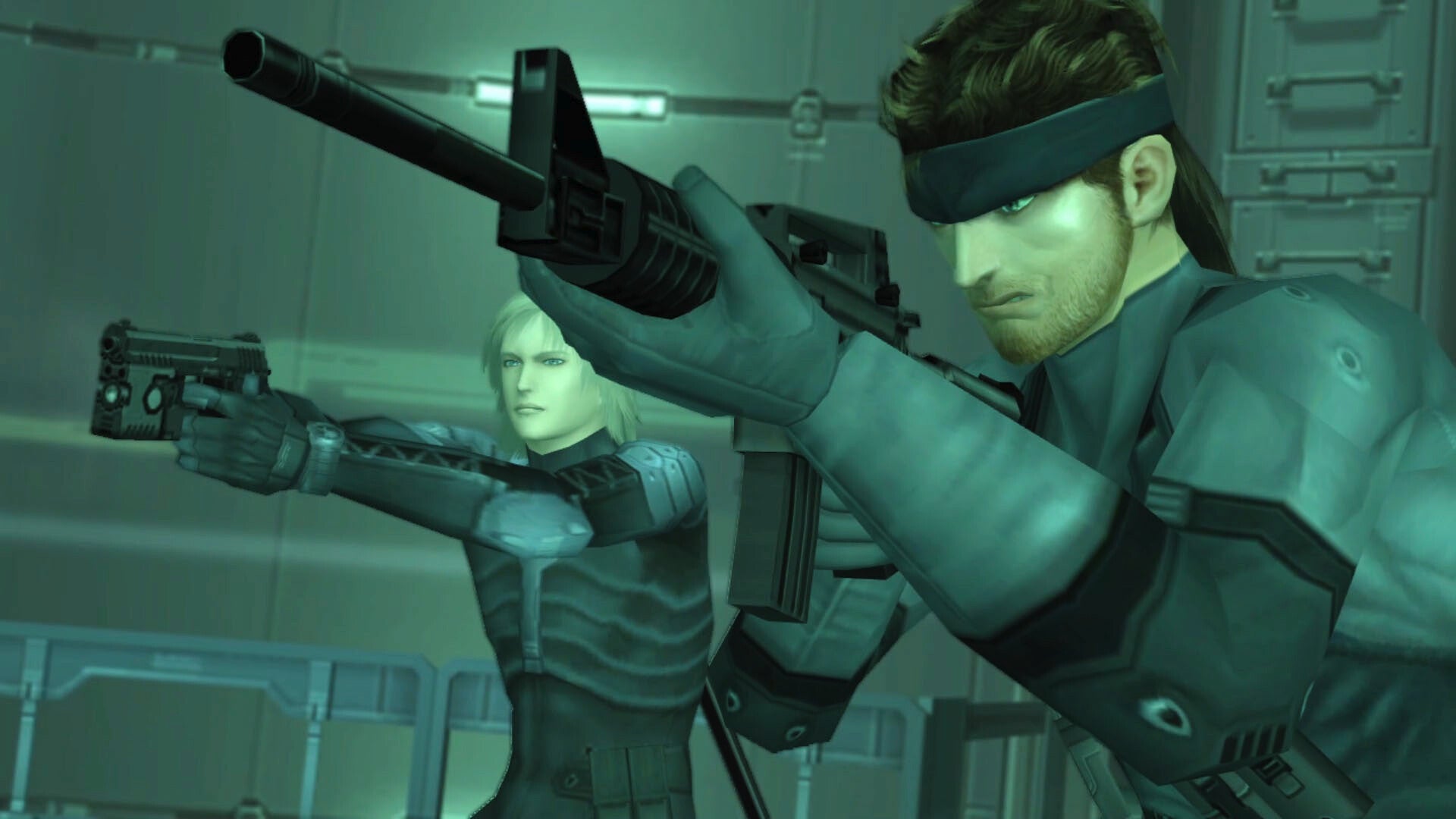
Konami has released a chunky PC patch for the Metal Gear Solid: Master Collection Vol. 1 which brings it to version 2.0.0.
The Metal Gear Solid website said the patch is currently only available on PC via Steam but coming to other platforms at a later date. It coincides with the release of Steam Trading Card and Badges support, though this isn’t unlocked via the patch itself.
Metal Gear Solid 2: Sons of Liberty is perhaps getting the most changes. These include expanded screen settings to include resolution options, the ability to switch cutscenes between their original version and a high resolution version, and additional control settings.
Metal Gear Solid 3: Snake Eater is also getting the expanded screen settings and controller settings alongside fixes for “other minor issues.” The full patch notes are available below.
Many fans argued that some of these relatively simple features should have been in the game from release, and Konami itself has admitted the Metal Gear Solid: Master Collection Vol. 1 had a “pretty rough launch.”
Konami will perhaps now turn its attention towards the Master Collection Vol. 2, which isn’t confirmed but expected to feature the highly sought after Metal Gear Solid 4: Guns of the Patriots. The game has never been ported in its 16 years on the market, meaning it’s currently only available on the PlayStation 3.
Metal Gear Solid: Master Collection Vol. 1 Version 2.0.0 Patch Notes
METAL GEAR SOLID – Master Collection Version
- Support for Steam Trading Cards/Badges
- No patch will be necessary for Steam Trading Cards/Badges.
- The latest version will remain Ver.1.5.0. Note that this is not a patch for Ver.2.0.0.
METAL GEAR SOLID 2: Sons of Liberty – Master Collection Version
- Screen Settings Expanded
- “Resolution” has been added to the Screen settings in the Options menu.
- Under “Resolution”, you can choose from two different presets or create your own custom setting.
- These settings cannot be changed after starting the game.
- Some setups may experience some instability if these settings are changed.
- Consider reverting back to the default settings if you experience any instability.
- “Resolution” has been added to the Screen settings in the Options menu.
- “Original Mode” Preset
- Display at the game’s original resolution.
- “Adjusted Mode” Preset
- Displays the game at your current monitor’s highest possible resolution.
- Has sharper visuals compared to Original Mode.
- Should your specs fall below FHD, Internal Resolution will be set to Original and Internal Upscaling will be set to Default.
- “Custom” Preset
- “Internal Resolution”, “Internal Upscaling”, and “Movie” can be adjusted to suit your current specs.
- Internal Resolution
- Under “Internal Resolution”, you can now choose to have the game render in FHD or at its original resolution.
- Internal Upscaling
- Under “Internal Upscaling”, you can choose to apply additional upscaling techniques to scale the game up to your setup’s highest possible resolution.
- Changing this setting will result in sharper visuals.
- Note that depending on your setup, this may not be selectable.
- Movie
- You can choose to set in-game movies to their original or higher resolution versions.
- When selected, some movies will be displayed at a higher resolution.
- Additional Control Settings
- Control settings have been added to the in-game pause menu.
- Controller Settings
- You can assign controls for your controller under “Controller Settings.”
- Keyboard & Mouse Settings
- You can select the Layout Type or choose a Custom layout and assign controls under “Keyboard & Mouse Settings”.
- Mouse Sensitivity Settings
- Mouse sensitivity settings have been added in accordance with added mouse support.
- You can adjust mouse movement sensitivity and scroll wheel sensitivity
- Mouse Controls Added
- Mouse controls have been added.
- Support for Steam Trading Cards/Badges
- Fixed some other minor issues
METAL GEAR SOLID 3: Snake Eater – Master Collection Version
- Screen Settings Expanded
- “Resolution” has been added to the Screen settings in the Options menu.
- Under “Resolution”, you can choose from two different presets or create your own custom setting.
- These settings cannot be changed after starting the game.
- Some setups may experience some instability if these settings are changed.
- Consider reverting back to the default settings if you experience any instability.
- “Resolution” has been added to the Screen settings in the Options menu.
- “Original Mode” Preset
- Display at the game’s original resolution.
- “Adjusted Mode” Preset
- Displays the game at your current monitor’s highest possible resolution.
- Has sharper visuals compared to Original Mode.
- Should your specs fall below FHD, Internal Resolution will be set to Original and Internal Upscaling will be set to Default.
- “Custom” Preset
- “Internal Resolution”, “Internal Upscaling”, and “Movie” can be adjusted to suit your current specs.
- Internal Resolution
- Under “Internal Resolution”, you can now choose to have the game render in FHD or at its original resolution.
- Internal Upscaling
- Under “Internal Upscaling”, you can choose to apply additional upscaling techniques to scale the game up to your setup’s highest possible resolution.
- Changing this setting will result in sharper visuals.
- Note that depending on your setup, this may not be selectable.
- Movie
- You can choose to set in-game movies to their original or higher resolution versions.
- When selected, some movies will be displayed at a higher resolution.
- Additional Control Settings
- Control settings have been added to the in-game pause menu.
- Controller Settings
- You can assign controls for your controller under “Controller Settings.”
- Keyboard & Mouse Settings
- You can select the Layout Type or choose a Custom layout and assign controls under “Keyboard & Mouse Settings”.
- Zoom, In/Out Sensitivity
- “ZOOM IN/OUT SENSITIVITY” has been added under MOUSE SENSITIVITY.
- You can adjust the scroll wheel sensitivity when zooming in/out.
- Support for Steam Trading Cards/Badges
- Fixed some other minor issues
Ryan Dinsdale is an IGN freelance reporter. He’ll talk about The Witcher all day.
All content and images belong to their respected owners. This article is aggregated for informational purposes only with full credit to the source.
