

Close Menu

    Subscribe to Updates

    Get the latest creative news from FooBar about art, design and business.

    What's Hot

    10 Things I Wish I Knew Before Starting Mewgenics

    10 February 2026

    Magic Not Planning Harry Potter Crossover Despite Parent Company Announcing Major Deal

    10 February 2026

    Pokémon Go Players Kept Swarming The Epstein Island Pokéstop, Forcing Devs To Remove It

    10 February 2026
    Facebook X (Twitter) YouTube Discord RSS
    Tuesday, February 10
    • Contact us
    • info@xtremeservers.com
    Facebook X (Twitter) YouTube Discord Instagram Pinterest RSS
    Xtreme Servers
    Xtreme Servers Blog Ad 1
    • Home
    • Game Servers
      • ARK: Survival Evolved
      • Counter Strike GO
      • Gary’s MOD
      • Minecraft
      • Rust
      • Team Fortress 2
    • Servers
      • VPS Hosting
    • Categories
      1. PlayStation
      2. PC
      3. Nintendo
      4. Xbox
      5. View All

      Monster Hunter Wilds: New content update and Arch-Tempered Arkveld arrive February 18 

      10 February 2026

      Fallout 76 Still Doesn’t Have Crossplay Seven Years Later, But Bethesda’s Not Ruling It Out

      9 February 2026

      Romeo is a Dead Man – Suda 51 and director Ren Yamazaki discuss controlled chaos of development

      9 February 2026

      State of Play returns this Thursday, February 12

      9 February 2026

      10 Things I Wish I Knew Before Starting Mewgenics

      10 February 2026

      Magic Not Planning Harry Potter Crossover Despite Parent Company Announcing Major Deal

      10 February 2026

      Pokémon Go Players Kept Swarming The Epstein Island Pokéstop, Forcing Devs To Remove It

      10 February 2026

      Monster Hunter Wilds Teases Expansion And Final Update As It Slowly Recovers On PC

      10 February 2026

      Today’s Nintendo Direct Was A Damning Display Of The State Of Switch 2

      5 February 2026

      The Elder Scrolls IV: Oblivion Remastered Is Coming To Switch 2…Eventually

      5 February 2026

      Everything We Saw At Today’s Nintendo Partner Direct

      5 February 2026

      Amazon Clears Out the Original Nintendo Switch With Joy-Con Controllers at a Record Low

      5 February 2026

      All Signs Point To A Resident Evil 5 Remake After New ESRB Listing

      10 February 2026

      Hearthstone Spotlight Announces the Next Expansion Coming, and More!

      9 February 2026

      Fallout 76 Still Doesn’t Have Crossplay Seven Years Later, But Bethesda’s Not Ruling It Out

      9 February 2026

      Relooted: Heist as Puzzle, Puzzle as Montage

      9 February 2026

      10 Things I Wish I Knew Before Starting Mewgenics

      10 February 2026

      Magic Not Planning Harry Potter Crossover Despite Parent Company Announcing Major Deal

      10 February 2026

      Pokémon Go Players Kept Swarming The Epstein Island Pokéstop, Forcing Devs To Remove It

      10 February 2026

      Monster Hunter Wilds Teases Expansion And Final Update As It Slowly Recovers On PC

      10 February 2026
    • Contact
    Xtreme Servers
    Home » Seamlessly Access Your Gaming Library, Apps, and Play History in One Place with Xbox on Windows PCs and Handheld
    Featured

    Seamlessly Access Your Gaming Library, Apps, and Play History in One Place with Xbox on Windows PCs and Handheld

    Sarah ConnorBy Sarah Connor16 September 2025No Comments4 Mins Read
    Facebook Twitter Pinterest Reddit LinkedIn Tumblr Email
    Share
    Facebook Twitter Pinterest Reddit Email
    • Category: Announcements

    September 15, 2025

    Seamlessly Access Your Gaming Library, Apps, and Play History in One Place with Xbox on Windows PCs and Handheld

    • Jason Beaumont, VP of Experiences, Xbox

    Summary

    • Xbox is bringing your gaming library, select third-party apps, and PC storefronts together in one convenient place.
    • Everyone now has access to the new aggregated gaming library.
    • Coming soon, everyone will be able to access their cloud-playable titles and play history across all devices.

    Starting today, we’re excited to share that new updates are rolling out for Xbox on PC and handheld that make it easier to launch and manage your games and apps – all in one place.

    In response to feedback we’ve heard from Xbox Insiders and our community, we’ve introduced several new features to enhance your gaming experience on Windows PCs and handhelds. The aggregated gaming library, cross-device play history, and updated app functionality give you more control over how and where you play, helping you quickly jump back into the games you love.

    Aggregated Gaming Library to Launch Your Games
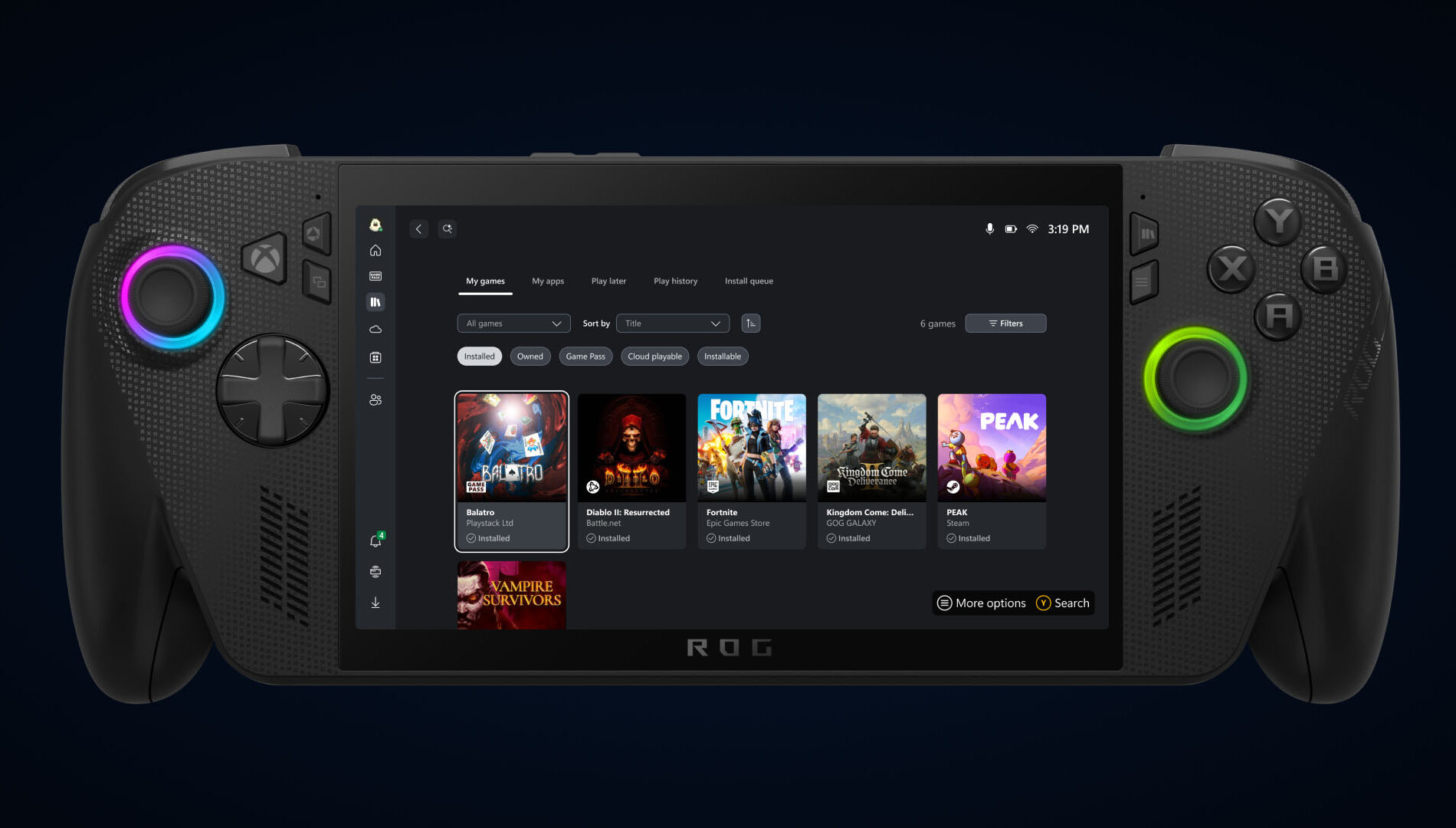
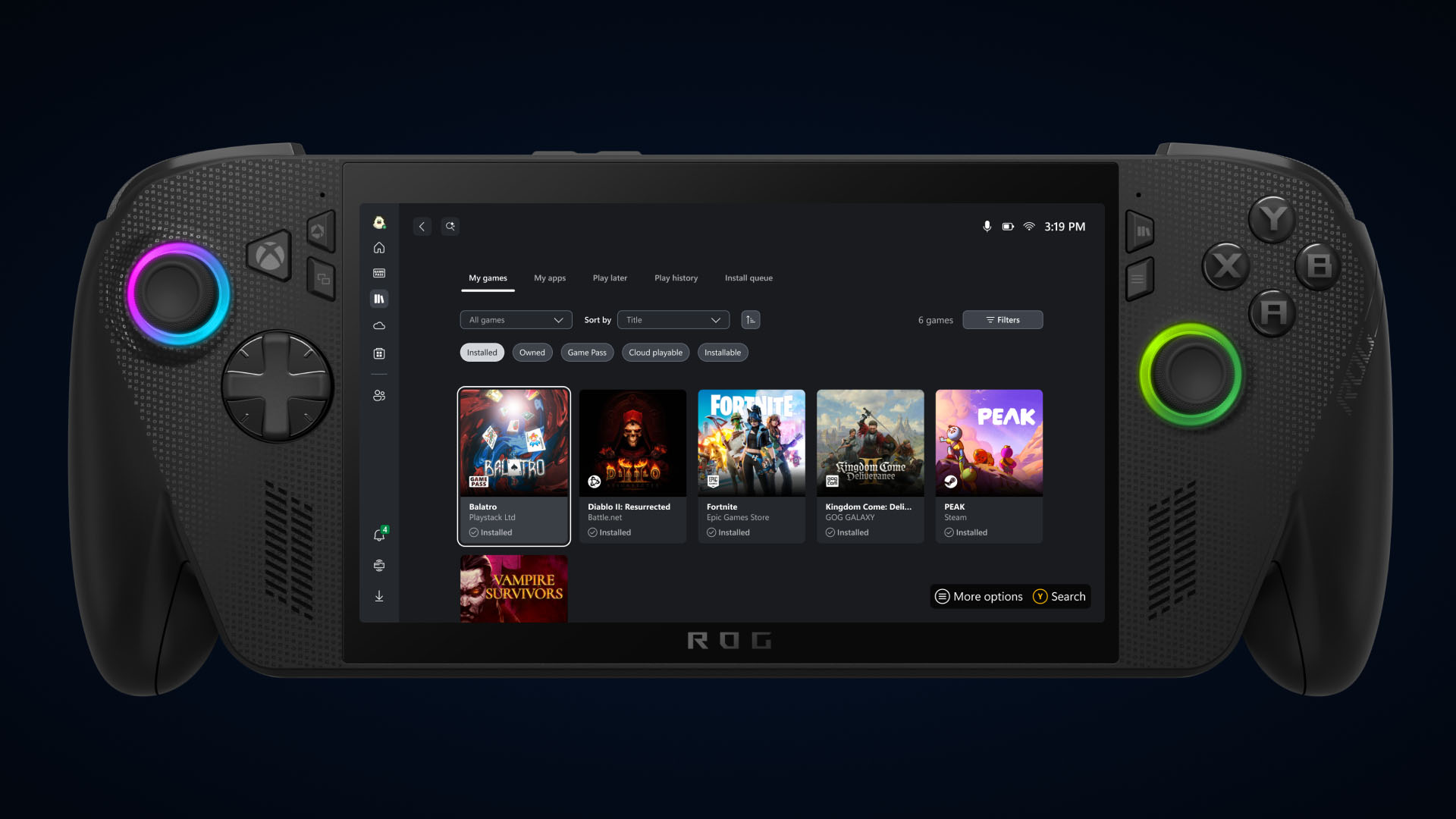
    Aggregated Gaming Library Asset

    Bring your game collection together with the new aggregated gaming library that shows your installed games from multiple PC storefronts, including your Xbox library, Xbox Game Pass, Battle.net and other leading PC storefronts, making it easier than ever to access your games in one place, whether you’re on a Windows PC or handheld device.

    When you install a game from a supported PC storefront, it automatically appears in “My Library” within the Xbox PC app, as well as the “Most Recent” list of titles in the sidebar, so you can jump back into your favorite games with just a click.

    Control What You See in Your Library

    Games installed from supported PC storefronts will automatically appear in My Library and in the Most Recent section of the Xbox PC app.

    Prefer a more simplified view?

    • Select your profile picture
    • Head to Settings
    • Go to Library & Extensions
    • Find the storefronts listed
    • Toggle any listings you’d prefer not to see

    Once disabled, those titles will no longer appear in your library, giving you full control over how your library looks and feels.

    Get to other PC Storefronts Faster with My Apps
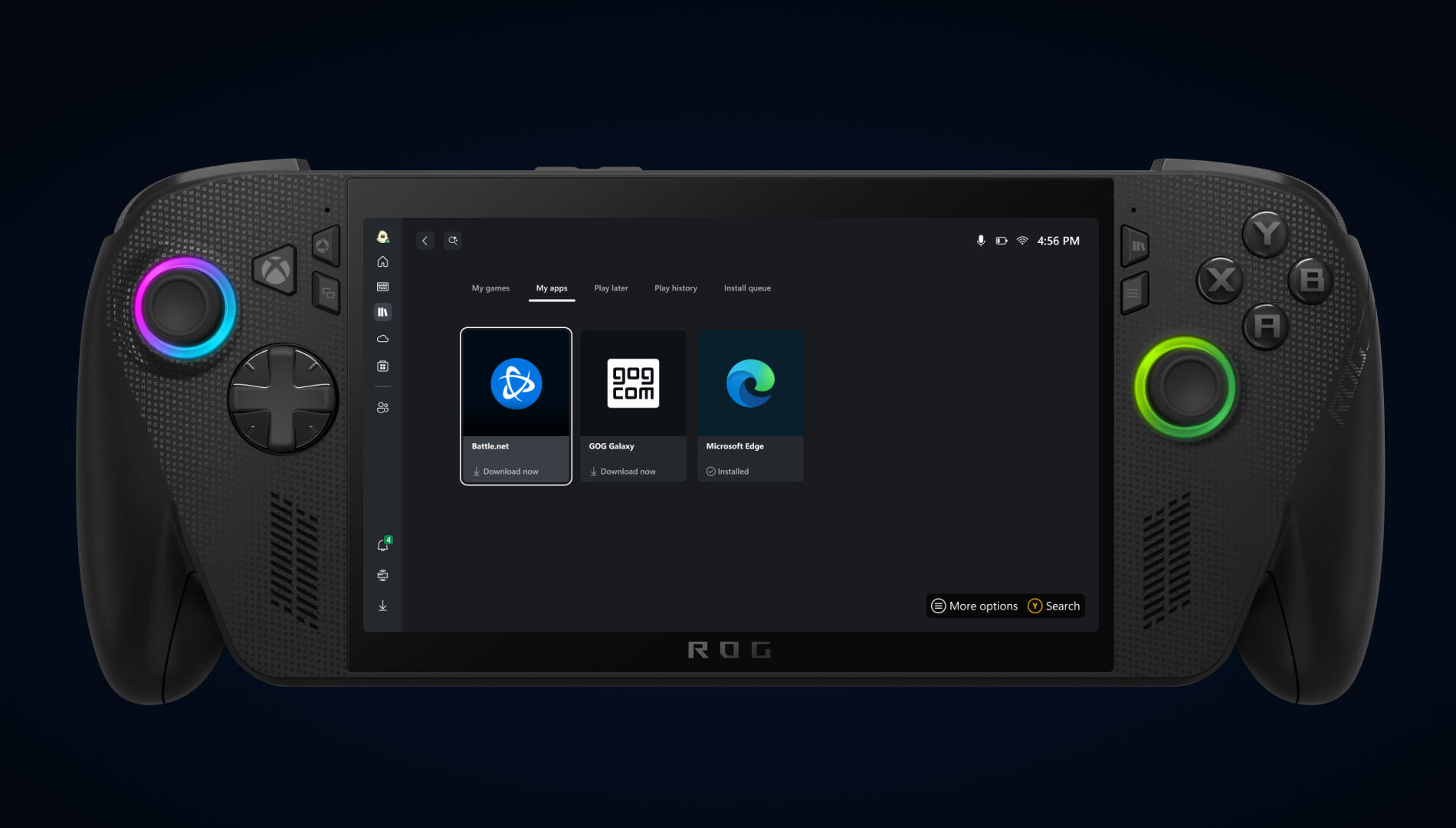
    PC Storefronts with My Apps Asset

    This new tab in my library brings third-party apps and storefronts together in one convenient place, supporting the aggregated gaming library so you can find, download, and launch games from multiple locations, without switching between apps or your desktop.

    Just Pick Up and Play
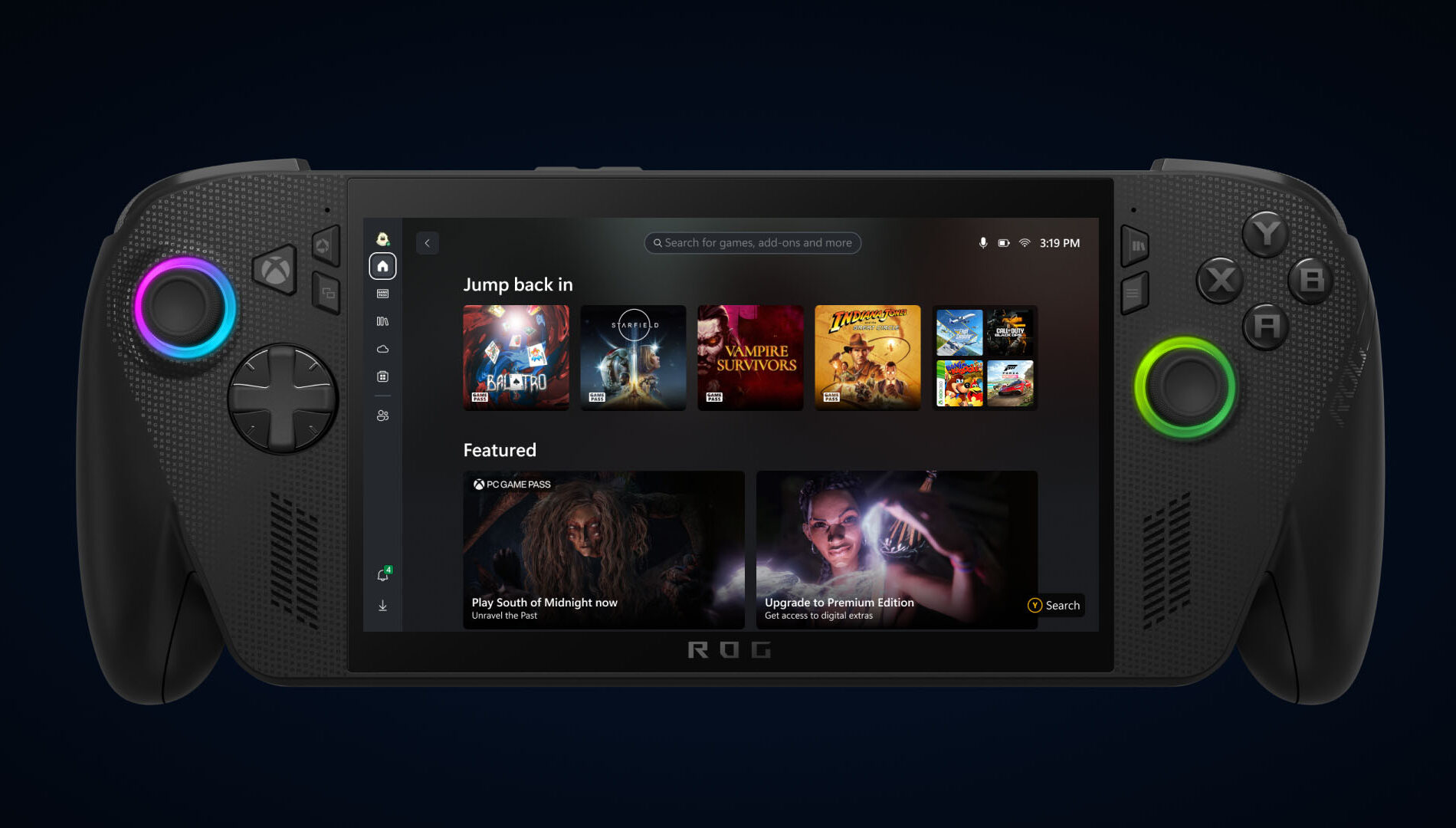
    Just Pick Up and Play Asset

    Coming later in September your cloud-playable games and game play history will follow you across all your devices.

    To find out which games are cloud playable, select the “cloud playable” filter in “My games” to view your catalog of supported titles.

    Once this feature is released, look for the “Jump back in” list on the Home screen of your console, PC, or handheld to find your recent play history and pick up where you left off.

    Help Shape the Future of Xbox

    Stay tuned to Xbox Wire for future updates and the latest and greatest Xbox news. For support related to Xbox updates, visit the official Xbox Support site.

    Related Stories for “Seamlessly Access Your Gaming Library, Apps, and Play History in One Place with Xbox on Windows PCs and Handheld”

    A stylized Xbox logo in support of Hispanic Heritage Month featuring the Xbox sphere with a Hispanic textile tile design reflecting the incredible mosaic that is the Hispanic and Latino culture.

    • Category: Announcements

    ¡Somos El Futuro! Celebrating Hispanic Heritage Month with Xbox

    Xbox LG Cloud Gaming Hero Image

    • Category: Cloud Gaming

    Xbox Cloud Gaming (Beta) Coming to Select Vehicles in Partnership with LG

    Xbox TGS 2025 Hero Image

    • Category: Tokyo Game Show

    Xbox Returns to Tokyo Game Show 2025 – Here’s How to Tune In

    The post Seamlessly Access Your Gaming Library, Apps, and Play History in One Place with Xbox on Windows PCs and Handheld appeared first on Xbox Wire.

    Go to Source (xbox.com)

    Post Views: 117
    2025 Seamlessly access AnnouncementsSeptember Apps category gaming history library pc place play Xbox
    Share. Facebook Twitter Pinterest LinkedIn Tumblr Reddit Email
    Previous ArticleIce Cube Explains How That Awful War Of The Worlds Movie Happened
    Next Article Thank God, Overwatch 2’s Persona 5 Collab Doesn’t Have Another Kiriko Skin
    Sarah Connor
    • Website

    Related Posts

    Monster Hunter Wilds Teases Expansion And Final Update As It Slowly Recovers On PC

    10 February 2026

    All Signs Point To A Resident Evil 5 Remake After New ESRB Listing

    10 February 2026

    Hearthstone Spotlight Announces the Next Expansion Coming, and More!

    9 February 2026

    Fallout 76 Still Doesn’t Have Crossplay Seven Years Later, But Bethesda’s Not Ruling It Out

    9 February 2026

    Relooted: Heist as Puzzle, Puzzle as Montage

    9 February 2026

    Romeo is a Dead Man – Suda 51 and director Ren Yamazaki discuss controlled chaos of development

    9 February 2026
    Add A Comment

    Comments are closed.

    Editors Picks

    10 Things I Wish I Knew Before Starting Mewgenics

    10 February 2026

    Magic Not Planning Harry Potter Crossover Despite Parent Company Announcing Major Deal

    10 February 2026

    Pokémon Go Players Kept Swarming The Epstein Island Pokéstop, Forcing Devs To Remove It

    10 February 2026

    Monster Hunter Wilds Teases Expansion And Final Update As It Slowly Recovers On PC

    10 February 2026
    Top Reviews
    Xtreme Servers Blog Ad 3
    About Us
    About Us

    We were founded in 2019 with some key objectives, provide our customers with an easy, reliable, fast and enjoyable gaming experience. Welcome to Xtreme Servers.

    Email Us: info@xtremeservers.com

    Facebook X (Twitter) Instagram YouTube Discord RSS
    Our Picks

    10 Things I Wish I Knew Before Starting Mewgenics

    10 February 2026

    Magic Not Planning Harry Potter Crossover Despite Parent Company Announcing Major Deal

    10 February 2026

    Pokémon Go Players Kept Swarming The Epstein Island Pokéstop, Forcing Devs To Remove It

    10 February 2026

    Subscribe to Updates

    Get the latest news, articles & guides from Xtreme Servers by subscribing to our newsletter.

    © 2026 Xtreme Servers All rights reserved.
    • Home
    • Contact us
    • info@xtremeservers.com

    Type above and press Enter to search. Press Esc to cancel.