


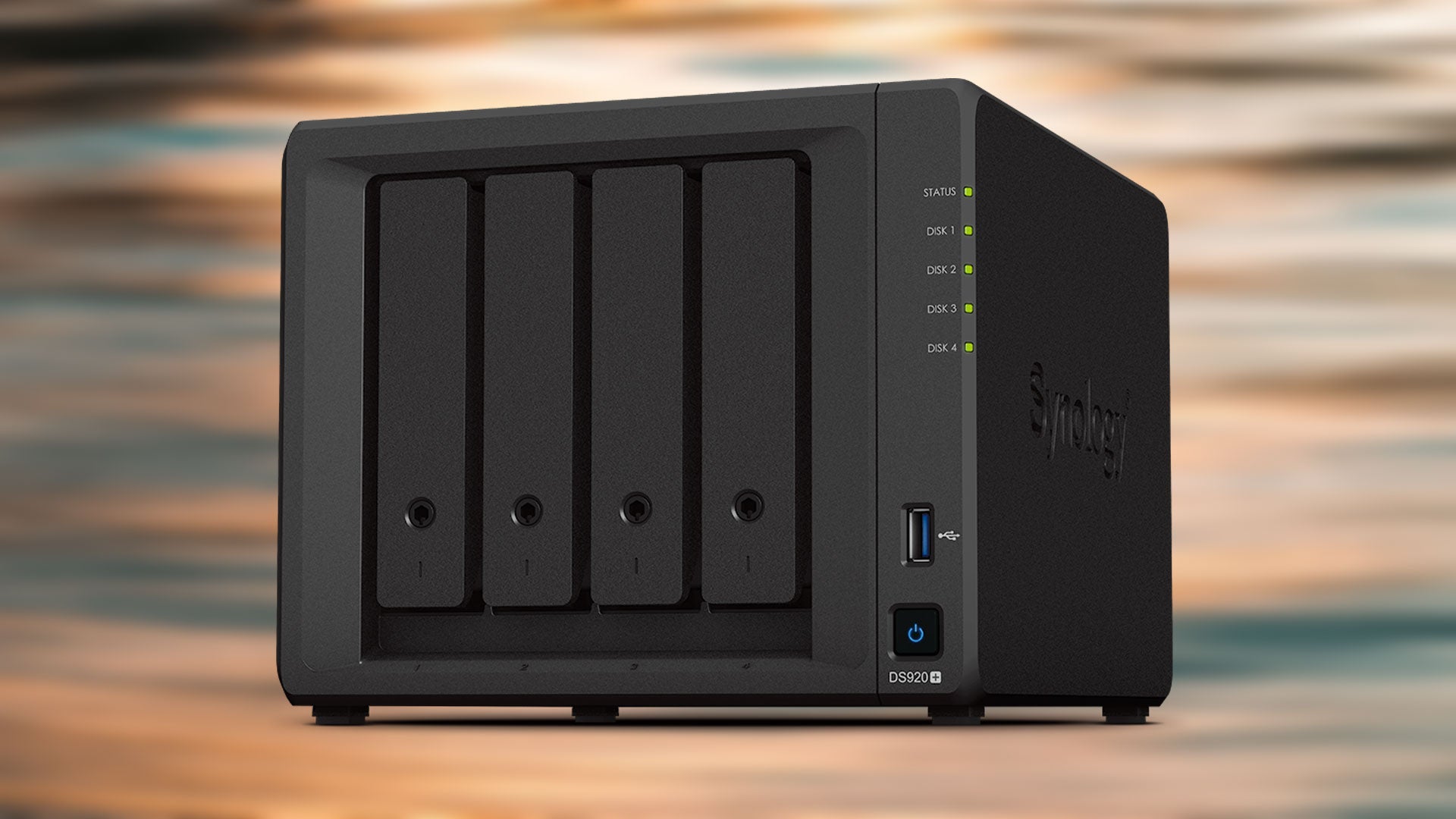
Maybe you’ve got one of the best gaming PCs or best laptops, and you want something to easily back up or transfer all the precious data stored on them. Sure, they might be equipped with the best SSDs, or you’ve got solid external hard drives hanging around holding files, photos, and content. But nothing compares to a great NAS (network-attached storage) drive, like our favorite, Synology DiskStation DS224+.
TL;DR – These are the Best Network-Attached Storage Solutions:
- Synology DiskStation DS224+
- Asustor Drivestor 2 Pro AS3302T
- Synology DS120j
- Asustor Lockerstor 2 AS6602T
- Synology DiskStation DS1821+
- QNAP TS-253D
- Synology DiskStation DS923+
- ioSafe Duo Pro
The best NAS drives offer significant storage opportunities and hook into your home network, letting you quickly transfer data to and from your devices. Smartphones, tablets, desktops, and laptops can be connected to the same network simultaneously, and it’s easy to sync them up, making NAS ideal for media libraries. However, NAS doesn’t come cheap, so choose carefully. Luckily, we’ve narrowed your search to eight excellent options for various use cases.
Best Network-Attached Storage
1. Synology DiskStation DS224+
Best Network-Attached Storage
If you want to avoid fooling around with overly complex software or settling for simple hardware, the Synology DiskStation DS224+ gets you up and running with a highly capable but straightforward NAS. It features two drive bays, letting you opt for increased storage—up to 32TB, depending on the drive you select—or a RAID 1 configuration to protect your data through redundancy. The two Gigabit LAN ports allow for higher speeds with Link Aggregation or network failover support, though we wish there were a 2.5GB or 10GB LAN support for an even quicker connection.
Using this NAS is simple thanks to Synology’s versatile apps and software available on an easy-to-use interface. You can set it up for storing security camera footage, use it as a Plex server, or keep files and photos safe and accessible. Even if you want to transcode 4K media, quickly manage files, or smoothly stream videos, the DiskStation DS224+ is up to task and blazing fast thanks to a powerful Intel Celeron J4125 2.0GHz quad-core processor and 2GB of DDR4 RAM, which you can always upgrade.
2. Asustor Drivestor 2 Pro AS3302T
Best Budget Network-Attached Storage
The Asustor Drivestor 2 Pro AS3302T provides a nice balance of quality hardware, a stylish design, and a modest price that won’t make you shy away from adding a NAS to your home. It’s got plenty of oomph thanks to the Realtek RTD1296 ARM quad-core 1.4 GHz processor and 2GB of RAM, so this NAS is ready for a high-quality video library, including decoding for 10-bit 4K video. The comprehensive OS and apps make for an easy setup, so you’ll be backing up files and creating your own cloud server in no time.
This NAS delivers dual-drive bays, giving you room for plenty of storage or letting you opt for extra security by running two drives in RAID for redundancy. You’ll be sticking to SATA drives in the Asustor Drivestor 2 Pro AS3302T, though, as there are no M.2 slots. But if you’re looking for speed, using a SATA SSD lets you benefit from higher speeds by using this device’s multi-gig Ethernet.
3. Synology DS120j
Best Ultra Cheap Network-Attached Storage
If you’re just dipping your toe in the NAS game or have more meager needs, we recommend the Synology DS120j. At under $100, this device is super affordable and easy to use, making it a great pick for NAS first-timers. The DSM totes various applications to ensure the process of storing and accessing all your precious files and data is painless no matter what device you’re using.
The Synology DS120j is a single-bay device, so space is more limited than others on this list, though you can use up to a 16TB drive. There’s also no hardware-based video transcoding, so some files need to be converted beforehand. It doesn’t work with Plex, either, so if media streaming is your top priority, you’ll want to look elsewhere.
4. Asustor Lockerstor 2 AS6602T
Best Network-Attached Storage for Power Users
For a NAS that you can go wild with, the Asustor Lockerstor AS6602T is what you’re looking for, as it comes kitted out with an Intel Celeron quad-core processor and 4GB of RAM, but if you’re one to tinker, you can upgrade that to 8GB of RAM. You’ll find two easy-access drive bays that support 2.5-inch or 3.5-inch SATA drives, and whether that be massive 18TB hard drives or speedy SSDs is up to you. If you don’t want to settle for SATA speeds, you don’t have to, thanks to two additional M.2 PCIe NVMe slots.
Once you sort out the hardware, you can get your network sorted. The Asustor Lockerstor AS6602T is ready for speed with dual 2.5Gb Ethernet ports that can be combined using link aggregation for a wild 5Gb connectivity. It’s simple to set up the NAS for speedy backups, virtualization, or even a powerful media center, and it’s also got an HDMI 2.0 port on the back and supports 10-bit 4K hardware decoding to deliver a 4K HDR experience.
5. Synology DiskStation DS1821+
Best Multi-Bay Network-Attached Storage
Do you have a boatload of files, data, and other content you want on NAS for safekeeping and easy access on multiple devices? Then a properly chunky storage solution like the Synology DiskStation DS1821+ is for you. This one comes at a high price, north of $1,000, but you’ll be ready for the future with plenty of expandability.
The DiskStation DS1821+ features a wild eight drive bays for 3.5-inch and 2.5-inch hard drives or SSDs, which gives you 128TB capacity, and the drives are also hot-swappable. If you need even more storage, the DS1821+ supports expansion units to bump up to 18 drive bays, and you also get M.2 2280 NVMe slots allowing for high-speed caching. Of course, there’s plenty of power behind the system with the quad-core AMD Ryzen CPU and 4GB of DDR4 ECC memory that can expand to 32GB.
6. QNAP TS-253D
Best Network-Attached Storage for Media Streaming
A NAS provides a central location for all your devices to access your media library, and the QNAP TS-253D is designed specifically with streaming in mind. This NAS device avoids a big networking bottleneck by offering dual 2.5Gb Ethernet ports, so it should have more than enough throughput to hold up even if multiple people are trying to access those large media files. You can also set the QNAP TS-253D up next to your TV, as it has a 4K-capable HDMI output built-in.
The QNAP TS-253D provides two 3.5-inch drive bays you can load up with tons of storage, 32TB total, while an additional PCIe Gen 2 slot brings the possibility of some fast caching or quicker network speeds. Powering this NAS is an Intel Celeron J4125 quad-core processor with 4GB of DDR4 memory to keep it running smoothly. Between its hardware and the PLEX integration, you’re even ready for smooth 4K video streams with hardware transcoding.
7. Synology DiskStation DS923+
Best Network-Attached Storage for Raid Configurations
A key perk of having a NAS is the ability to back up your data and to be extra secure; it makes sense to consider using a RAID configuration. The Synology DiskStation DS923+ is an excellent option for both, as it features four drive bays, so you can not only load it up with storage but also run it with redundancy. The device actually offers several RAID types, including RAID 0, RAID 1, RAID 5, RAID 6, RAID 10, Synology Hybrid RAID (SHR), Basic, and JBOD, so you can choose the best configuration to keep your data safe.
The DiskStation DS923+’s four bays are built for 3.5-inch and 2.5-inch drives, but it includes two M.2 2280 NVMe SSD slots to kit out the NAS with fast caching. You might want that extra speed, too, since the NAS features two 1-Gigabit Ethernet ports that support Link Aggregation or Failover, and there’s an option to add 10-Gigabit connectivity. Running the whole shebang is a high-performing dual-core AMD Ryzen processor paired with 4GB of upgradable DDR4 RAM and the easy-to-use DSM operating system, so you should have no problem getting it up and running.
8. ioSafe Duo Pro
Best Ruggedized Network Attached Storage
Using a NAS to back up your files and devices is key to keeping your information safe, but that protection is circumvented if something damages your NAS drive. The ioSafe Duo Pro drive is built with these concerns in mind, so it’s fireproof and water-resistant. Its IP68 rating even offers protection against full submersion in water up to 10 feet for 72 hours.
The ioSafe Duo Pro doesn’t just keep your data safe from physical damage; it aims to protect your data from the outset with various RAID configuration options and robust, long-lasting drive bays. ioSafe even provides data recovery services for customers. Just note that this direct-attach storage device isn’t specifically made to be a NAS drive, so if you want to set it up for network storage, you’ll need to share it with your home network through an always-on computer or attach it directly to your router via USB.
What to Look For in Network-Attached Storage
Not everyone needs Network-Attached-Storage, but it can be used to cure certain networking headaches. Do you and your family/housemates all share the same network? A NAS device allows you to share files with all of those computers from one central unit. Don’t want to back up all of your family’s computers individually? A NAS device gives you a way to do it all on one drive.
What are you using it for?
If either of the above scenarios resonates with you a NAS device may be worth considering. If you find yourself in a situation where multiple devices in your home need to access the same tools or files, a NAS device can do that. So it’s not just about storing things but accessing them too.
The other reason for a NAS device is that you have a huge media library that you’d like to be able to access from multiple computers/TVs/tablets/etc. You could turn your NAS into a Plex server, so everyone in the home has swift access to the same movies, TV shows, and music.
Go diskless? How many bays?
You’ll find that most NAS devices come without disk drives, which means you’ll need to purchase them separately.
In many cases NAS makers don’t make hard drives, so they’ll sell their device without any disks included. You may already own some disk drives, in which case a diskless system poses less of a problem, but check the manufacturer’s recommendations as some brands of disks may work better than others.
Bays are what the disk drives go into, so the higher the number of bays the NAS has, the more potential capacity there is. Generally, two or more bays are best; multimedia systems will often have more.
Hugh Langley is a tech journalist who’s fascinated by wearables, health tech, the smart home, and more. You can find him tweeting (often nonsense) over at @hughlangley.
Danielle Abraham is a freelance writer and unpaid music historian.
All content and images belong to their respected owners. This article is aggregated for informational purposes only with full credit to the source.
