


The best fans will keep your gaming PC running optimally and prevent overheating, like our favorite, the Noctua NF-S12B redux-1200. And we’ve found plenty of alternatives to fit every need and budget. Jump to detailed looks at our picks for the best PC fans, or just check out the list below:
TL;DR – These are the Best PC Fans:
- Noctua NF-S12B redux-1200
- Arctic F12-120
- Cooler Master MF200R ARGB
- be quiet! Silent Wings 4
- Corsair QL Series QL120
- Cooler Master MasterFan MF120 Halo
- Phanteks PH-F140MP
- Lian Li Uni Fan SL Infinity 120
- Phanteks T30-120
- Noctua NF-A12x15
- Lian Li Uni Fan SL120 V2
Size, power, noise, RGB lighting, and other features are all factors to consider before purchasing a PC fan. We’ve taken all of that into account, bringing you the ten best options to kit out your rig and take a look at the end of the article for a guide to buying a PC fan – and click here to see them in the UK.
The Best PC Fans
1. Noctua NF-S12B redux-1200
Best Overall PC Fan
This Noctua fan is a balance of simplicity and quality. It’s a reinvention of a classic Noctua fan that can provide significant airflow and impressively low noise levels. At a quiet 18.1 dBA (even while putting out almost 60 cubic feet of air every minute) your PC will run quietly, reducing ambient noise in your work or play area.
The two-tone gray color means this one will blend right in with many PC setups, which is perfect for those who prefer substance over style. You can also make this fan even quieter by slowing it down (by lowering the voltage or using an optional low-noise adapter). The lower-voltage mode means the fan won’t spin over 1200 RPM, and if you really need to be as quiet as possible, you can pick up some optional Noctua anti-vibration mounts to put between the fan and your case.
2. Corsair QL Series QL120
Best RGB PC Fan
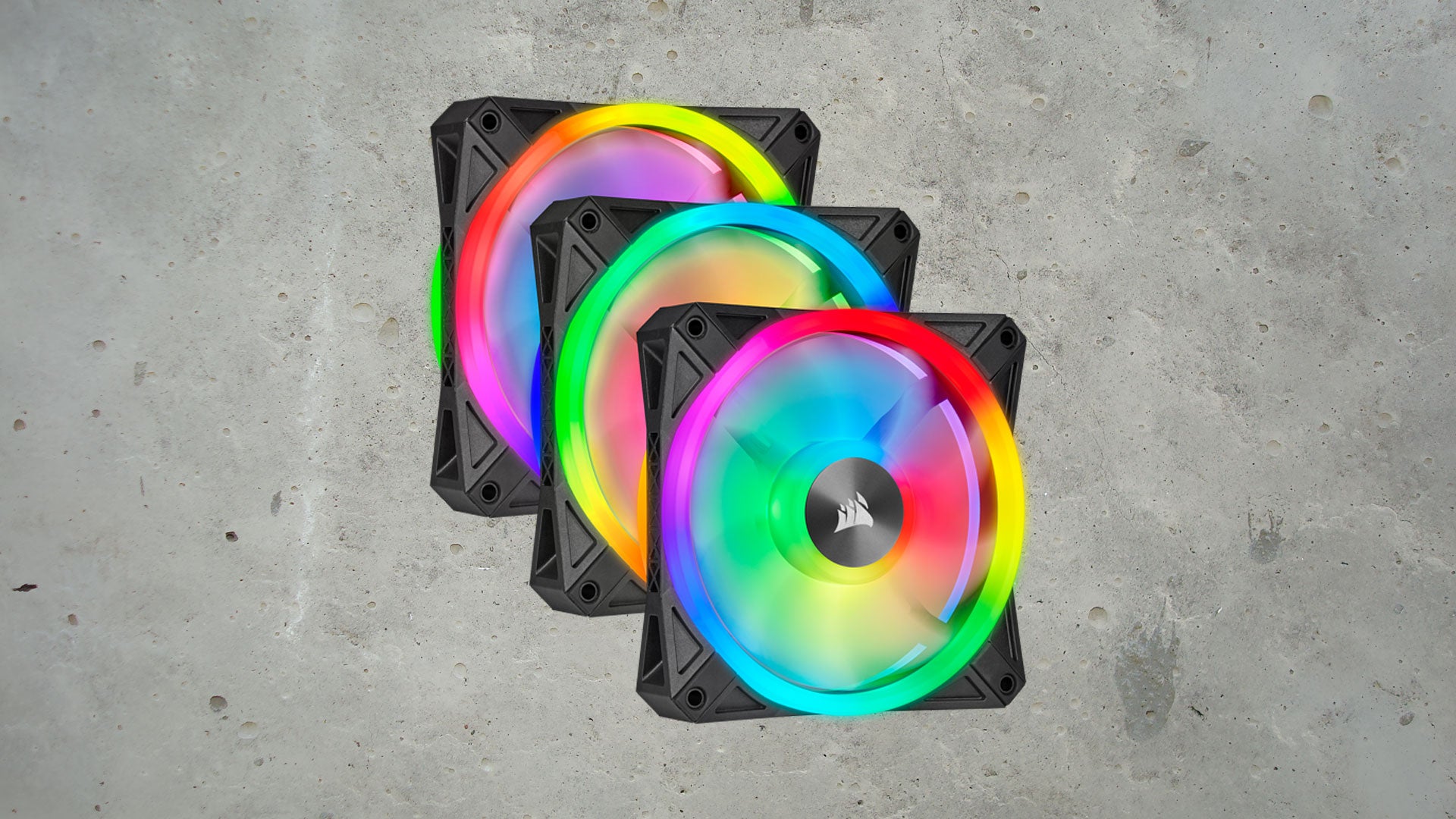
These QL120 fans feature a whopping 34 RGB LEDs per fan, and they’re designed with semi-transparent fan blades and four lighting zones. The light shines on both sides of the fan, so both intake and exhaust mountings will get the RGB love. The three-fan kit includes the Lighting Node Core controller you need, which simply requires a USB 2.0 and SATA connection, keeping your PC’s wiring simple inside.
While the airflow isn’t as powerful, and the noise level isn’t as low, as some of the other options on our list, these are probably the flashiest, making them perfect for those looking to light up their rigs.
3. Arctic F12-120
Best Budget Fan
For the vast majority of PC users, particularly those who don’t do video editing or performance gaming, high-end fans are complete overkill. If you are just looking to get the job done, save cash for game deals, and still get a quality fan, the Arctic F12-120 has you covered. It has a low price and an even lower noise level.
These 120mm fans run at 1,350 RPM, pushing 53 CFM while staying fairly quiet thanks to fluid dynamic bearings that keep the fan movement nice and smooth. While these fans have a nice black and white aesthetic, no LED lights are included. Arctic is confident in the quality of their products, too, as these fans come with a six-year limited warranty.
4. Cooler Master MF200R ARGB
Best 200mm PC Fan
If you want fans that create a ton of airflow while staying quiet, 200mm fans are a great way to go (assuming they fit your PC case). The Cooler Master MasterFan MF200R ARGB delivers powerful air movement (90 cubic feet per minute) and low noise (28dBA), with a side helping of flashy ARGB light.
The fan blades are translucent, meaning the light will shine through and illuminate beautifully, and the kit includes a smart sensor to detect jams, meaning you won’t have to worry about your PC cables getting caught.
5. be quiet! Silent Wings 4
Best Silent PC Fan
Silence is golden, and when it comes to PC fans, be quiet!’s Silent Wings 4 is about as quiet as they come. Using a three-phase, six-pole motor, fluid dynamic bearings, and special mounts, you get fewer vibrations and lower power consumption for less noisy operation. The fan clocks in at 13.6 dBA in its quietest operation, landing between a whisper and someone calmly breathing, which makes it virtually inaudible.
The Silent Wings 4 may be quiet, but it’s still powerful. The 140mm option delivers airflow up to 87.16 CFM thanks to the funnel-shaped air outlets on the fan frame. You also aren’t limited to the 3-pin 140mm fan, as it also comes in a 120mm size or with a 4-pin PWM, ensuring you find the best fit for your build.
6. Cooler Master MasterFan MF120 Halo
Best Addressable RGB PC Fan
Maybe you just scored a killer PC deal and you’re looking to kit it out with addressable ARGB fans, the Cooler Master MasterFan MF120 Halo is our favorite. They move significant amounts of air, and you can opt for effectively silent operation at just 6 dBA or opt for maximum cooling at 30dBA, which is still relatively quiet.
On the ARGB front, each fan includes 24 LEDs, divided into two rings around the fan. Moreover, the fan blades are translucent, so the color pops significantly more than on traditional fans.
7. Phanteks PH-F140MP
Best 140mm PC Fan
The fan speed on this Phanteks fan is fully adjustable, from 500 to 1600RPM, and near the 500RPM mark, the fan is whisper quiet.
The very high static air pressure is ideal for crowded cases, whether you have radiator fins, liquid CPU coolers, or restrictive grills. You can expect a long service life, because the fan uses an updraft floating bearing (UFB), a kind of sleeve bearing known for longevity.
8. Lian Li Uni Fan SL Infinity 120
Best PC Fan 3-Pack
It’s all about the RGBs with this 3-fan set from Lian Li. Sucking you into another dimension, the infinity mirror at the center is surrounded by bright ARGB lights for a truly captivating experience.
Easy to daisy chain, the Lian Li Uni Fan SL Infinity 120 case fans feature a pin-to-pad contact point to power the fans effortlessly. And, compared to the SL120 model, airflow is increased by 10% with a wider range of fan speeds. So, it’s easy to achieve effective cooling while running whisper-quiet.
Using L-Connect 3 software, you can configure the lighting effects across your fans, with personalized colors, brightness, and speeds.
9. Phanteks T30-120
Best High Airflow Fan
If you’re building a gaming PC with water cooling, you’ll need a fan that can deliver a high static pressure so it doesn’t struggle to push air through a constricting radiator fin array (or a mesh panel). The Phanteks T30-120 120mm fan can deliver 3.3 mmH2O of static pressure and 67 CFM airflow, which is great for this. A switch also lets you select three different operating modes without downloading any software.
NOTE: the Phanteks T30-120 is slightly bigger than standard fans, so make sure you have enough room for its 30mm width before picking this one up.
10. Noctua NF-A12x15
Best Low-Profile PC Fan
The Noctua NF-A12x15 fan is nearly half as thick as many of the other fans on this list, making it ideal for cases that are tight on space. It’s effectively the slimmer sibling of the Noctua NF-A12x25.
Even better, it doesn’t sacrifice performance for its small size. You still get a solid 55 CFM of airflow and, at that level, it only produces 23.9dBA of noise. Even though 23.9 is very quiet, you can use the included Low-Noise Adapter, which sacrifices some airflow to bring the noise down to an incredibly quiet 16.8dBA. Anti-vibration mounts are also included and can prevent rattle for even quieter operation.
Where to Get the Best PC Fan in the UK
PC Fans FAQ
Which fans are most important in a PC?
To prevent your hardware from throttling and overheating, a front intake fan and a rear exhaust fan are the most detrimental. A front intake fan ensures that fresh cool air flows over your PC’s components, and it can be helpful to have more than one if you’ve got the space. A rear exhaust helps to expel heat out of the case, while another exhaust fan at the top of the case, if it has ventilation and is away from intake fans, is useful for removing the rising hot air. It’s also possible to install side-mounted fans, which should usually be in an intake position, but as a general rule of thumb, it’s best to have air flowing front to back.
What to Look for in a PC Fan
There are a few things you should look for when picking out PC fans.
First, make sure you measure your PC case to make sure the fan you want will fit in the mounts your case has. Standard sizes range from 80mm to 250mm, and you’ll generally need larger fans for larger PC cases, since they’ll need to move more air. 120mm and 140mm also (normally) have the same mount size, and larger fans are generally quieter and move more air.
Speaking of moving air, the stat you want to keep your eyes out for is “CFM,” which stands for “cubic feet per minute.” The higher the number, the more air the fan can move, the better. That said, fans with the highest CFM also tend to be loudest.
Fan noise (like everything else) is measured in decibels (or dBA), and the smaller the number, the quieter the fan. If noise is important, prioritize a fan with a low decibel level, or one with several modes you can switch between, so you’ll have quiet options without sacrificing performance when you need it. Also, as we said before, larger fans can spin more slowly, and therefore more quietly, while still moving lots of air, so it’s probably a good idea to get the largest fans your case can hold.
You’ll also need to check your pins and connector styles. Four-pin connectors on PWM (pulse width modulation) motors are speed-adjustable and therefore, more energy-efficient, while three-pin connectors generally control DC motors (although adapters are available).
Another thing to keep in mind is that fans are generally specialized for one of two things. Either they are optimized to move a high volume of air (generally with large blades and high RPM) or generate high static pressure. High-airflow fans can run into problems when used in a case with restricted airflow – that’s what high static pressure fans are for.
Although nicer fans still aren’t that expensive (relative to other PC components), you still get what you pay for. Ball bearings, often found in the least expensive fans, tend to fail more often, while sleeve bearings are a step up in quality and longevity, and fluid bearings tend to be the most reliable, with the longest lifespans. Unlike most PC components, fans are mechanical systems meant to run continuously for years, so get good ones!
RGB light is all the rage, whether you are looking at area lighting, LED strips, graphics cards, case lights, and more. Fans are no different, and because they naturally move during operation, many fans are incorporating light systems. Whether you want a single color, a small variety of colors to choose from, or a 16.7 million-color LED system that can even display moving images like GIFs, there are choices out there for you. Enjoy and stay cool!
All content and images belong to their respected owners. This article is aggregated for informational purposes only with full credit to the source.
