

Close Menu

    Subscribe to Updates

    Get the latest creative news from FooBar about art, design and business.

    What's Hot

    King Of Dragon Pass Creator Wants You To Get The Crew Together

    27 September 2026

    Abby And Lev’s Voice Actors Join John Goodman In HBO’s Third Season Of The Last Of Us

    27 September 2026

    UK’s Largest Tabletop Convention Bans AI With Few Exceptions

    26 September 2026
    Facebook X (Twitter) YouTube Discord RSS
    Sunday, September 27
    • Contact us
    • [email protected]
    Facebook X (Twitter) YouTube Discord Instagram Pinterest RSS
    Xtreme Servers
    Xtreme Servers Blog Ad 1
    • Home
    • Game Servers
      • ARK: Survival Evolved
      • Counter Strike GO
      • Gary’s MOD
      • Minecraft
      • Rust
      • Team Fortress 2
    • Servers
      • VPS Hosting
    • Categories
      1. PlayStation
      2. PC
      3. Nintendo
      4. Xbox
      5. View All

      Official PlayStation Podcast Episode 548: September Selects

      25 September 2026

      Share of the Week – Marvel’s Wolverine

      25 September 2026

      How Ace Combat 8: Wings of Theve uses first-person to tell a more personal story

      25 September 2026

      Luma Island is coming to PS5

      24 September 2026

      King Of Dragon Pass Creator Wants You To Get The Crew Together

      27 September 2026

      Abby And Lev’s Voice Actors Join John Goodman In HBO’s Third Season Of The Last Of Us

      27 September 2026

      UK’s Largest Tabletop Convention Bans AI With Few Exceptions

      26 September 2026

      Comedic Filmmaker John Wilson Discovers Foundational Metaphor In The History Of Concrete

      26 September 2026

      RuneScape: Dragonwilds Devs Admit Switch 2 Port Looks Bad, Promise Improvements, And Plan To Update Eshop With Accurate Screenshots

      25 September 2026

      Ubisoft Was Reportedly Working On A Legend Of Zelda Spin-Off Starring Ganondorf

      24 September 2026

      High-Definition Footage Of Pokémon Ruby And Sapphire On Official Pokémon Socials Sparks Nintendo Switch Port Speculation

      21 September 2026

      Level-5 Promises To Fix Yo-Kai Watch 2 And Professor Layton Presentation In The Wake Of AI Backlash And Explains That Many Of Its Artwork Mistakes Were Simply Down To Human Error

      16 September 2026

      Minecraft Dungeons II: The Sift, New Mechanics, Better Exploration, and More | Official XBOX Podcast

      26 September 2026

      Minecraft Dungeons II’s New Dimension Coming to Minecraft Java & Bedrock Edition

      26 September 2026

      Minecraft LIVE Fall 2026 Recap

      26 September 2026

      Five Ways to Build a Better Used-Car Business in Used Cars Simulator

      25 September 2026

      King Of Dragon Pass Creator Wants You To Get The Crew Together

      27 September 2026

      Abby And Lev’s Voice Actors Join John Goodman In HBO’s Third Season Of The Last Of Us

      27 September 2026

      UK’s Largest Tabletop Convention Bans AI With Few Exceptions

      26 September 2026

      Comedic Filmmaker John Wilson Discovers Foundational Metaphor In The History Of Concrete

      26 September 2026
    • Contact
    Xtreme Servers
    Home » How to Pair an Xbox Controller to PC
    PC

    How to Pair an Xbox Controller to PC

    Garry SmithBy Garry Smith23 October 2023No Comments5 Mins Read
    Facebook Twitter Pinterest Reddit LinkedIn Tumblr Email
    Share
    Facebook Twitter Pinterest Reddit Email

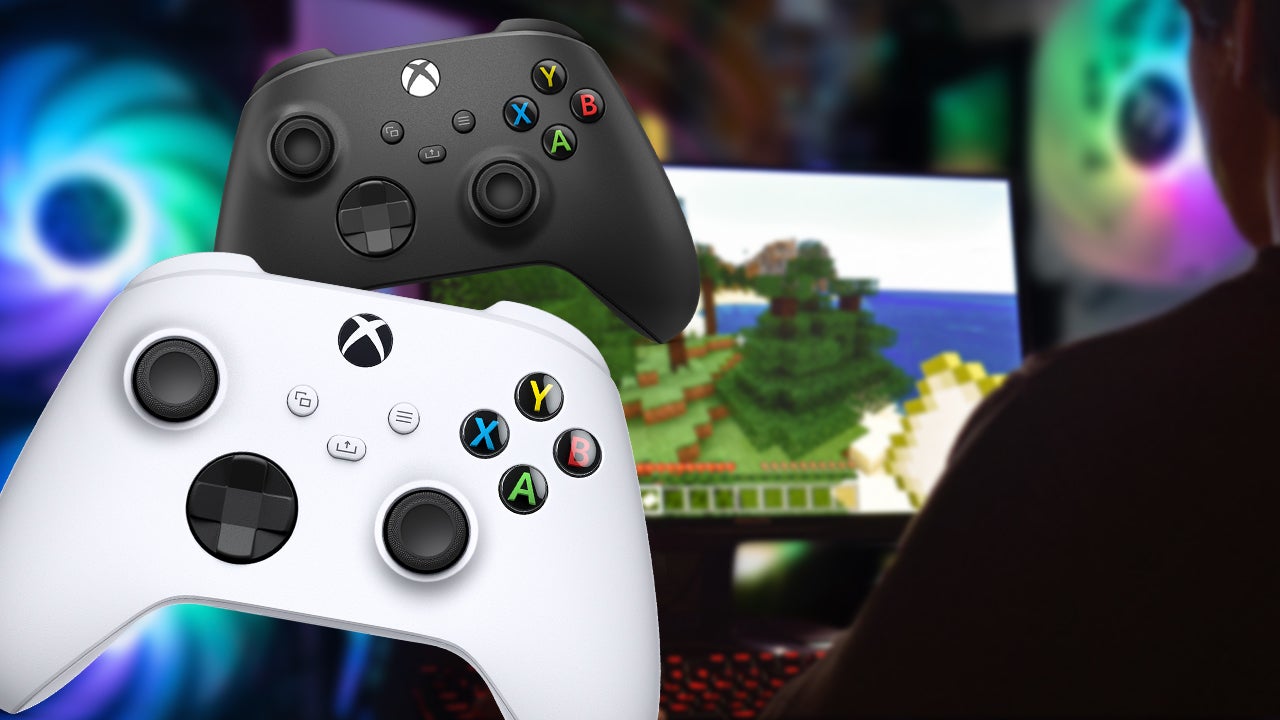
    Although many PC gamers veer towards using a mouse and keyboard to play PC games, you might want to learn how to pair an Xbox controller to your PC for certain genres.

    If you’re playing an RPG for instance, a controller might not offer enough buttons to map all your spells or actions to. A racing or fighting game, however, lends itself nicely to a controller thanks to the joystick movement.

    If you would prefer to use an Xbox controller on your PC, it’s easy to set up as Windows and Xbox are both owned by Microsoft, so compatibility tends to be less of an issue.

    Pairing a wireless controller can be done via Bluetooth or by using Microsoft’s official Xbox Wireless Adapter. Wired controllers, on the other hand, can be plugged in via USB. So, connecting your Xbox One and/or Xbox Series S/X controllers to your PC is a simple process that offers a different immersive experience.

    If you have an original Xbox One controller, it’s time to upgrade, as this doesn’t support Bluetooth. Or, if you’re a PS5 owner, you can check out our guide on how to connect a PS5 controller to your PC.

    Connect via USB

    We’ll start with the easiest way to connect an Xbox controller to the PC and that’s via a wired USB connection.

    1. Plug the USB cable into the computer.
    2. Plug the other end into the Xbox controller.
    3. Push and hold the Xbox button on the controller until it lights up.
    4. Windows 10 and Windows 11 should automatically detect the controller and you’ll be able to use it immediately.

    Connect via the Xbox Wireless Adapter

    1. First ensure you have the Xbox Wireless Adapter or buy one from Amazon. Some computers such as the Surface Studio, Surface Book 2, Lenovo IdeaCentre Y710, Lenovo Legion Y720, and Asus G703 have the Xbox Wireless protocol built in so there’s no need for the separate dongle.
    2. Plug the adapter into an open USB port and follow the instructions here to set it up.
    3. Turn on the Xbox controller by pushing and holding the Xbox button on the center. Locate the sync button located next to the left bumper (LB). Push and hold until the light starts blinking.
    4. Push the corresponding sync button on the wireless adapter until it also starts blinking. Once it finds the controller, the light will turn solid. You should be able to use the controller to play games after that.

    Connect via Bluetooth

    Many modern PCs already have Bluetooth radios built-in, but there are USB Bluetooth dongles out there that are pretty cheap, some as low as $6 if you do need one.

    1. Go to Settings > Devices > Bluetooth on your PC. Ensure Bluetooth is turned on.
    2. As with the wireless adapter, turn on the Xbox controller and hold the sync button until the light starts blinking.
    3. Go back to the PC and click on “Add Bluetooth or other devices” then click the Bluetooth options. This will bring up a window showing devices available to pair. You should be able to see “Xbox Wireless Controller” as one of the options.
    4. One you select the controller, your computer should pair successfully and allow you to use the controller.

    What To Do if Your Controller Won’t Connect

    If you’re wondering what to do if your controller won’t connect, there are a few options to explore before jumping into investing in a new controller. Below, we’ve detailed some steps worth taking to check your controller’s connection.

    1. Wake up your controller – After 15 minutes of inactivity, the Xbox controller shuts off on its own. To turn it back on, press the center Xbox button until it lights up.

    2. Charge the controller – Sometimes, a dead battery is the culprit. If the battery level is low, the battery indicator light on the face of the controller will turn orange. At this point, charge it up with a cable or new batteries.

    3. Move closer to your Xbox or PC – The recommended maximum range for wireless controllers is 19 ft (6 m), so make sure you’re within that. Walls and interference from other wireless devices can also impact connection. Which leads us to…

    4. Remove objects between the controller and Xbox or PC – move anything that could be blocking your signal.

    5. Power cycle your Xbox or restart your PC – If none of the above work, try restarting your PC or power cycling your Xbox (which is done by holding the power button on the front of the console for 10 seconds, letting it shut down, then turning it back on).

    6. Reconnect your controller – For console, this is done by pressing and holding the pair button on the back of the controller until the Xbox button flashes, then press the pair button on the console. For PC, do the same action on the controller but then press the pair button on the Xbox Wireless Adapter for Windows 10 plugged into your PC.

    7. Connect a USB-C cable – Plug one end of the cable into the back of your controller, and the other into the console or PC. The connected device should automatically detect the controller and charge it, if need be.

    8. Update your controller – In a similar vein to the point above, connecting your controller to a console or PC may show that it needs an update!

    9. Remove accessories from your Xbox or PC – Some USB devices, including incompatible or defective ones, can interfere with wireless signals. Unplug these, restart your device, then try reconnecting the controller.

    10. Count your connected controllers – only eight controllers are allowed to be connected at once. If you have eight, you’ll have to disconnect one to reconnect a new one.

    11. Try a different controller – If the above fail, try connecting a different controller. If that one works, then it may be time to replace the other one.

    Go to Source (IGN.com)

    All content and images belong to their respected owners. This article is aggregated for informational purposes only with full credit to the source.

    Post Views: 344
    although gamers games keyboard many mouse pc play towards using veer Xbox
    Share. Facebook Twitter Pinterest LinkedIn Tumblr Reddit Email
    Previous ArticleThese Mario Wonder Infinite 1-Up Cheats Will Make You Immortal
    Next Article Big Lords Of The Fallen Update Chills Enemies Out
    Garry Smith
    • Website

    Related Posts

    King Of Dragon Pass Creator Wants You To Get The Crew Together

    27 September 2026

    Abby And Lev’s Voice Actors Join John Goodman In HBO’s Third Season Of The Last Of Us

    27 September 2026

    UK’s Largest Tabletop Convention Bans AI With Few Exceptions

    26 September 2026

    Comedic Filmmaker John Wilson Discovers Foundational Metaphor In The History Of Concrete

    26 September 2026

    Minecraft Dungeons II’s New Dimension Coming to Minecraft Java & Bedrock Edition

    26 September 2026

    Minecraft Dungeons II: The Sift, New Mechanics, Better Exploration, and More | Official XBOX Podcast

    26 September 2026
    Add A Comment

    Comments are closed.

    Editors Picks

    King Of Dragon Pass Creator Wants You To Get The Crew Together

    27 September 2026

    Abby And Lev’s Voice Actors Join John Goodman In HBO’s Third Season Of The Last Of Us

    27 September 2026

    UK’s Largest Tabletop Convention Bans AI With Few Exceptions

    26 September 2026

    Comedic Filmmaker John Wilson Discovers Foundational Metaphor In The History Of Concrete

    26 September 2026
    Top Reviews
    Xtreme Servers Blog Ad 3
    About Us
    About Us

    We were founded in 2019 with some key objectives, provide our customers with an easy, reliable, fast and enjoyable gaming experience. Welcome to Xtreme Servers.

    Email Us: [email protected]

    Facebook X (Twitter) Instagram YouTube Discord RSS
    Our Picks

    King Of Dragon Pass Creator Wants You To Get The Crew Together

    27 September 2026

    Abby And Lev’s Voice Actors Join John Goodman In HBO’s Third Season Of The Last Of Us

    27 September 2026

    UK’s Largest Tabletop Convention Bans AI With Few Exceptions

    26 September 2026

    Subscribe to Updates

    Get the latest news, articles & guides from Xtreme Servers by subscribing to our newsletter.

    © 2026 Xtreme Servers All rights reserved.
    • Home
    • Contact us
    • [email protected]

    Type above and press Enter to search. Press Esc to cancel.